Server Error Handling
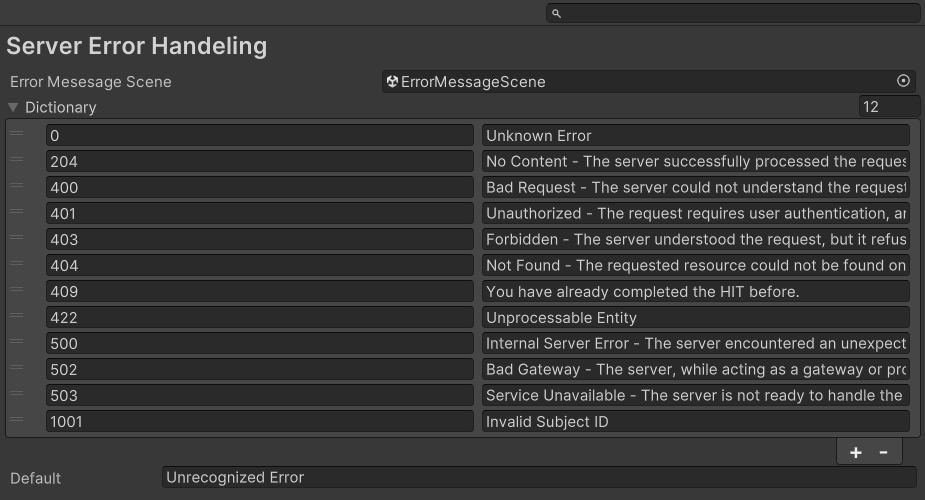
The Server Error Handling settings (main menu: Edit > Project Settings, then select the mobisim > Server Error Handeling category; the category name is spelled this way in the simulator) let you define how your application responds when it receives error codes from the server. You can specify a scene to load when an error occurs, and configure a list of error codes with their corresponding messages to display in that scene.