The Scene Transition settings (main menu: Edit > Project Settings, then select the mobisim > Scene Transition category) let you control how the screen fades when transitioning from one scene to another. Each platform has its own Scene Transition settings which you need to set for each version of your application that you want to build. To switch between them, click the tabs that show each platform's operating system icon.
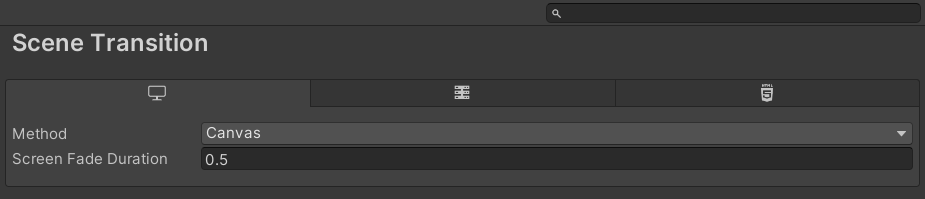
Method
Selects the technique used to perform the screen fade during scene transitions. Available options:
- None — Disables the screen fade effect entirely.
- Canvas — Fades the screen to black by adjusting the alpha value of a full-screen UI Canvas Image overlay.
- Renderer — Applies the fade effect using a shader via a render feature.
Screen Fade Duration
The duration (in seconds) of both the fade to black and the fade back from black during the transition. Default is 0.5.