Scene Graph
The Scene Graph settings (main menu: Edit > Project Settings, then select the mobisim > Scene Graph category) let you select and manage the active scene graph asset used in your project. Each platform has its own Scene Graph settings which you need to set for each version of your application that you want to build. To switch between them, click the tabs that show each platform's operating system icon.
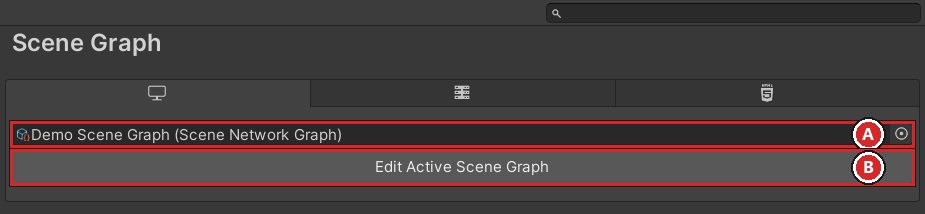
A Set the active scene graph asset for your project. Use this unlabeled object field to select which scene graph is active.
B Click the Edit Active Scene Graph button to open the Scene Graph Editor, where you can modify the selected scene graph asset. The button is disabled when no scene graph is assigned.