External Input Device
The External Input Device settings (main menu: Edit > Project Settings, then select the mobisim > External Input Device category) configure how the simulator connects to the Gryoor serial throttle/brake device and how it recognizes Fanatec wheels. For an overview of these devices, see Specialized Input Hardware.
These settings are a single asset shared by all platforms, but they are only included in Standalone builds, and the devices are only supported on Windows. When the active build target is not Windows, the page shows a notice that the settings do not apply to the current platform. The settings are stored in the build, so to change them for a built simulator, change them in the Editor and rebuild.
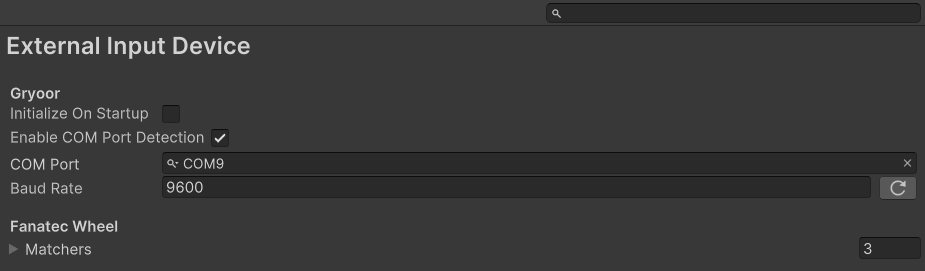
Gryoor
The Gryoor settings control how the simulator finds and connects to the serial throttle/brake device (GryoorSerialInputDevice). No hardware or firmware is provided for this device; it must implement the simulator's serial protocol.
For the exact handshake, serial parameters, and data format, see Serial protocol and Handshake.
Fanatec
The Fanatec settings consist of a list of device matchers (the Matchers list) that the simulator uses to recognize Fanatec wheels and apply its custom wheel layout (FanatecPodiumWheelDD2InputDevice). Use the + and – buttons to add or remove matchers. The project comes with matchers for FANATEC Wheel and FANATEC Podium Wheel Base DD2.
You can usually find the device information (such as the product name, manufacturer, product ID, and vendor ID) in Windows Device Manager. You do not need to fill in every field. Leave fields empty (or IDs at 0) if you do not need them, as long as the remaining fields are specific enough to identify the device without accidentally matching another one. A device must match all of the fields that you fill in. Matchers with every field empty are ignored.
The matchers are registered when the application starts in a build, and after scripts reload in the Editor. After you change them in the Editor, a script reload (for example, after scripts recompile) applies the change.