Overview
Timeline is the primary tool for designing and setting up scripted event sequences in a scenario, such as moving actors to specific positions in a defined order or triggering dialogue at precise moments.
Timeline
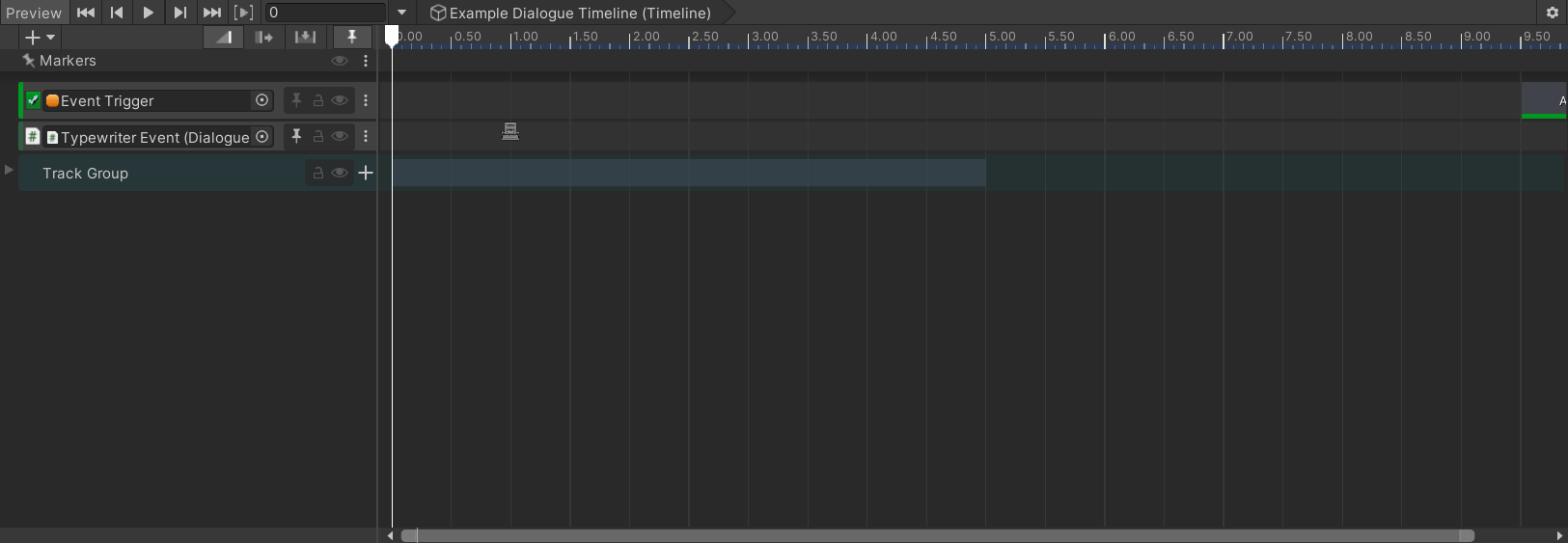
A timeline is made up of tracks and clips. A track is a row that controls one object or one aspect of the scene, such as an actor's movement, a traffic light's state, or a dialogue trigger. Each track is bound to a specific object in the scene. A clip is a block on a track that defines what happens and for how long. You place clips by dragging them onto the track, and you resize them to set their duration.
Everything you set up is saved in a Timeline Asset, a reusable blueprint that exists independently of any scene. To play it in a specific scene, you connect it to a PlayableDirector component, which creates a live instance of the asset at runtime and drives the scene objects bound to each track.
Signals

Signals are Unity's built-in notification system for Timeline. A Signal Asset is a lightweight identifier. You place a Signal Emitter marker on a track at a specific time. When the timeline reaches that point, it fires the signal to any Signal Receiver component on the GameObject bound to that track (or on the PlayableDirector's GameObject, for emitters placed in the timeline's Markers area). The receiver maps each signal to one or more UnityEvent callbacks.
PlayableDirector
A PlayableDirector is a Unity component that owns and runs a Timeline Asset in a scene. Every timeline needs exactly one PlayableDirector to play. Without it, the Timeline Asset is just a file with no connection to the scene.
Attach the PlayableDirector to any GameObject in the scene, assign the Timeline Asset to it, and then bind the scene objects that each track needs to control. The director is also the entry point for controlling playback from other systems: you can call Play, Stop, and Pause on it, set its current time, and configure what happens when the timeline reaches the end, such as looping, stopping, or holding the last frame.
PlayableDirectorTimeManipulator
PlayableDirectorTimeManipulator is a utility component that exposes timeline scrubbing to UnityEvents. Add it to the same GameObject as a PlayableDirector (it requires one and adds it automatically if missing) and wire its methods to buttons, signal receivers, or other event sources.
For a full introduction to Timeline, see the Unity Timeline manual.