Time Limit System
A time limit defines how long a participant can remain in a scene or session. When the allotted time expires, the scene ends, results may be recorded, and the participant advances to the next stage. Time limits are useful for pacing scenarios, enforcing consistency, and ensuring equal session lengths across participants.
The Time Limit Service component (TimeLimitService) provides a countdown timer that runs from a configured starting value down to a defined stop
value. When the stop value is reached, the component automatically invokes a UnityEvent, allowing you to trigger actions such as
ending the session.
In the Mountain View Map scene template, the Time Limit Service is already attached to the same GameObject as the Game Mode
component (the TimeLimit GameMode Prefab in Assets/mobisim/Core/Systems/Prefab). In this configuration, when the countdown reaches the stop value, the service invokes EndSession() on the Game Mode,
ending the current scene and loading the next one in the sequence.
While the Time Limit Service can function independently, attach it to the same GameObject as the Game Mode when that component is present. This keeps the session flow coordinated: the countdown pauses while the Game Mode is loading.
User Interface
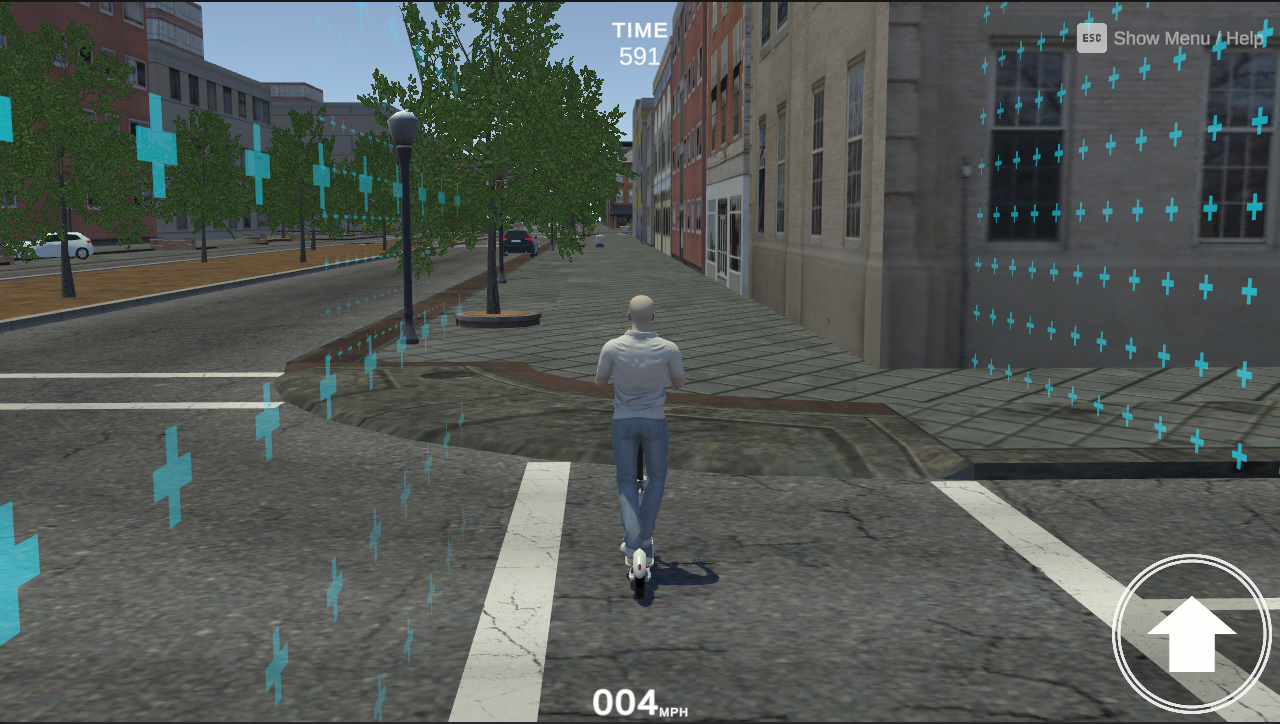
The Timer UI displays the countdown as on-screen text so participants can see how much time remains. When the timer reaches the configured blink threshold, the text flashes red to indicate the session is about to end.
The Timer UI is spawned as part of the session's UI overlay and links to the Time Limit Service automatically, so no manual setup is required.
If multiple Time Limit Service components exist in a scene, the UI displays only the first active timer. Additional timers continue to run, but their countdowns do not appear in the UI.
Timer Configuration
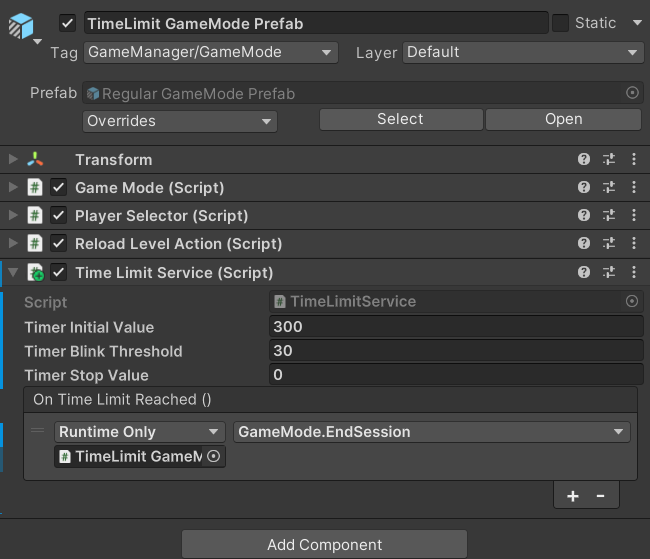
You can use the following properties to configure the Time Limit Service in the Inspector window: