Introduction to Dialogue
The simulator includes a dialogue system called Typewriter. With it, you can create scenarios where actors speak to the participant, dispatch operators send instructions through a chat panel, participants exchange chat messages, or multiple characters hold a back-and-forth conversation. This page explains how the system fits together and the key ideas behind it.
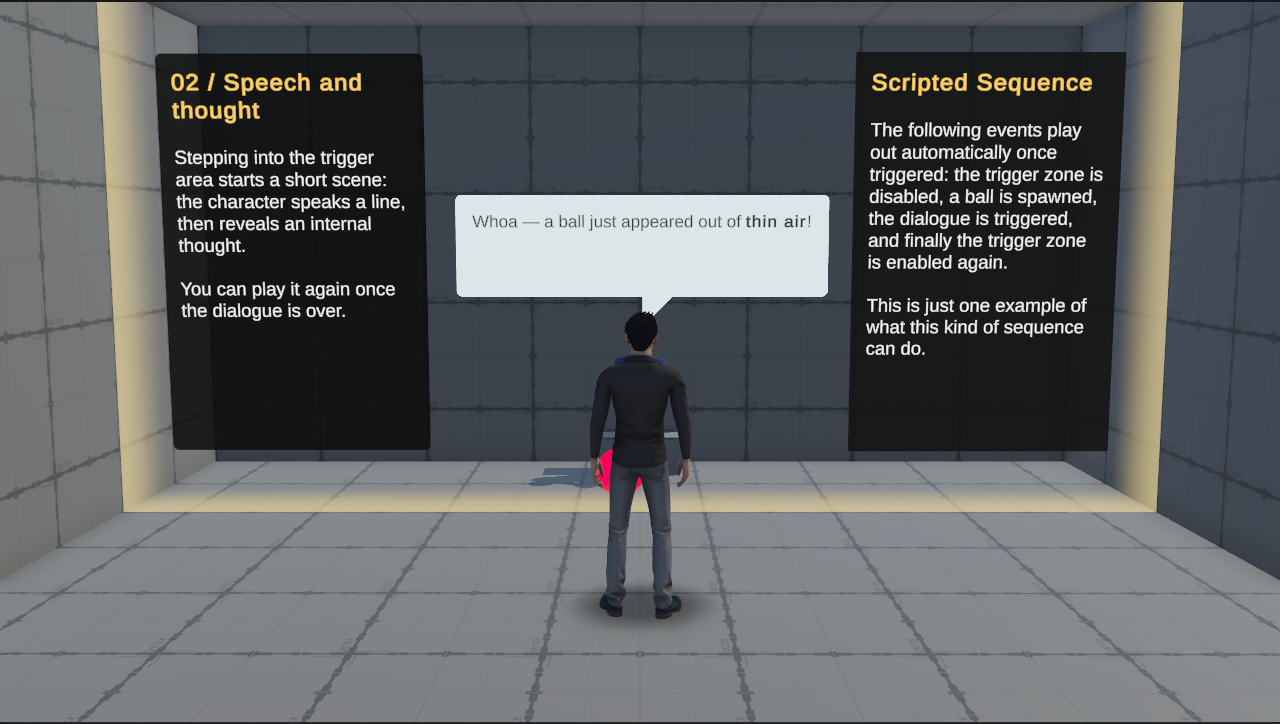
The Typewriter system has two sides: content you create in the Unity Editor, and components you set up in your scene. At runtime, the Sequencer bridges them: it reads the database, routes messages to the right actors, and displays them in the corresponding UI.
Key Concepts
Database
At the heart of Typewriter is its database. The database is made up of tables, and each table is a ScriptableObject asset that holds a set of entries. You can split your content across as many tables as you like, for example one table for content shared by every scenario and one table for each scenario.
Entry
An entry is a record in the database, uniquely identified by its ID. Typewriter defines three specialized types, each extending this base for a specific purpose:
Fact
Facts let the Typewriter system track information about the world, such as "has the ego already been greeted?" or "how many times have they passed this intersection?"
Under the hood, each Fact is a named integer: it can act as a simple on/off flag (HasGreetedPlayer = 1) or a running counter (TimesVisitedScene = 3).
Every FactEntry references a scope, which sets how long its value lasts. Facts that reference a GlobalScopeEntry share one value across every scene for the entire session. Facts that reference a SceneScopeEntry share one value per scene, and the value resets to 0 when the scene unloads. Every fact starts at 0 until a rule modifies it.
The diagram follows a fact that a rule increments once in each scene. With a global scope the count carries over; with a scene scope each scene starts again from 0.
FactEntry also has one subtype that is not a scope: ActorEntry, an actor's database identity. The system uses it to decide which actor to route the dialogue to.
The + menu also offers a plain Scopes > Scope entry. Facts in a plain scope are not shared: each event source (for example, each TypewriterEventHandle or Timeline receiver) keeps its own copy of the value.
Rule
Rules read facts as criteria to decide whether to fire, and they can set or increment facts as effects.
A Rule is the core building block of dialogue. It defines:
- The event it listens to
- The facts that must be true for it to be chosen
- What it does when chosen (display a message, update facts, etc.)
- The next event it triggers to continue the chain
Rules come in four subtypes. The subtype sets how the message appears to the participant:
- Dialogue
- Chat
- Notification
- Instruction
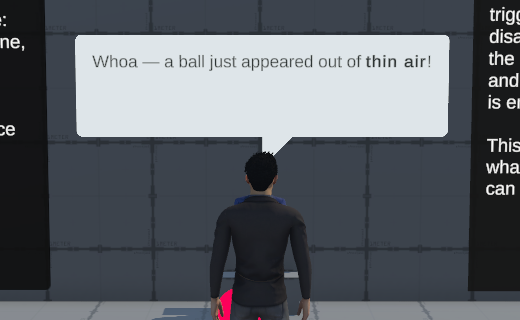
Spoken lines and internal thoughts from a character. A road agent's line appears in a speech bubble above its head, and the ego agent's line appears as a message in the phone panel.
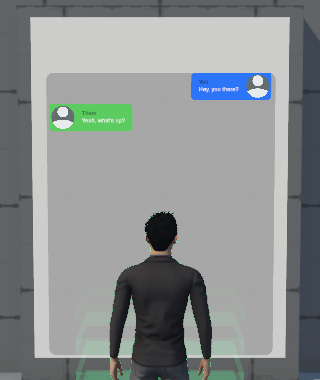
Text messages exchanged between actors, shown as an SMS-style thread in the phone chat panel. Use it for text-message-style conversations.
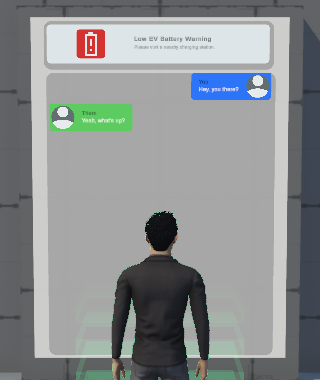
A push-notification banner, with an icon, a title, and a body, that pops up over the scene. Use it for system alerts and app notifications.
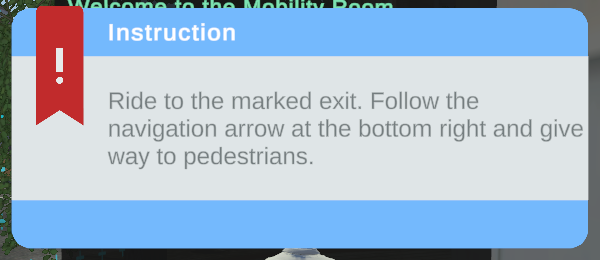
A message that tells the participant what to do, shown in a dedicated instruction panel. Use it to direct the participant through a task.
Event
An Event is a named signal that kicks off the evaluation cycle. Something in the scene fires it (a trigger zone, a Timeline marker, or the end of a previous rule), and the system finds and runs the first matching rule that listens to it.
Rules that listen to the same event are tested in priority order: rules with more Criteria (plus their Padding value) are tested first, so the most specific matching rule wins.
The diagram below shows an evaluation in action. on_talk fires, and its rules are tested in priority order: talk_a and talk_b have already fired once and are skipped,
talk_c is the first fully matching rule and is selected, and talk_d is untouched and waiting. talk_c then fires on_talk_c, which starts a fresh evaluation with its own set of rules.
This is also the foundation of branching dialogue. A rule fires a specific event to continue the conversation, and which event it fires determines which path the dialogue takes. A rule can also list another rule (instead of an event) in its Triggered by field. It is then tested as soon as that previous rule finishes playing.